
PDF to Text – Extract Text from PDF Online Free
Copy all text from a PDF into a plain text file. Fast, free online PDF to TXT converter, no signup.
or drop a PDF here
No file selected
Private and short-lived: every upload is erased automatically 72 hours after you last open it.
Step by step
Extract Text From a PDF: step by step
Copy all text from a PDF into a plain text file. Fast, free online PDF to TXT converter, no signup.
-
1
Upload your PDF
Drop in the document. The screen is deliberately minimal — nothing to configure before or after. Files are deleted after 2 hours.
-
2
Press Extract text
One button: every page is read in order and written out as plain text. Real text comes out as-is; scanned pages are pictures with no text layer, so they have nothing to read.

-
3
Download the .txt
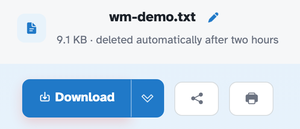
The ready page hands back a plain text file — in our test the four-page document arrived as a 9.1 KB .txt that opens in any editor on any system.
-
Plain .txt back
The whole document written out as a text file you can paste anywhere.
-
Page by page, in order
Pages are written one after another, following the reading order.
-
Copy-paste ready
Text arrives as plain paragraphs — no markup, no wrappers.
-
Honest about scans
Scanned pages are images of text — the conversion has nothing to read and says so.
-
Opens anywhere
.txt reads in every editor on every system, forever.
-
Private by default
No account, no watermark — and every file is automatically deleted after 2 hours.
Selected: