
Split PDF in Half – Divide Scanned Pages Free
Split two-page scans or A3 sheets into separate pages down the middle. A3 to A4, A4 to A5. Free online, no watermark.
or drop a PDF here
No file selected
Private and short-lived: every upload is erased automatically 72 hours after you last open it.
Step by step
Split a PDF in Half: step by step
Split two-page scans or A3 sheets into separate pages down the middle. A3 to A4, A4 to A5. Free online, no watermark.
-
1
Upload your PDF
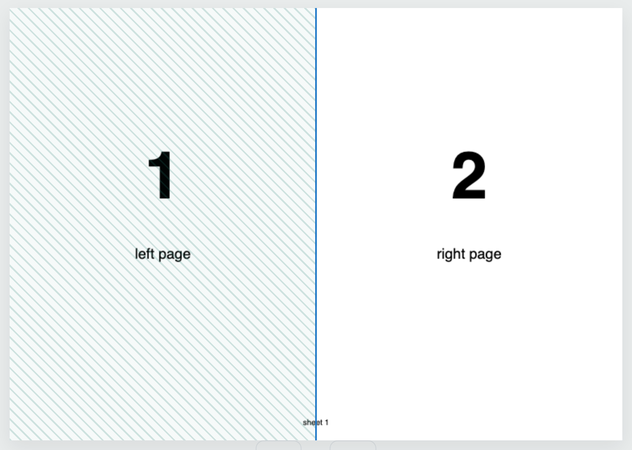
Drop in a spread scan — A3 to double A4, A4 to double A5, a booklet. The preview shows the sheet with a tinted half and a split line across it. Files are deleted after 2 hours.
-
2
Aim the cut
The direction follows the page's own shape automatically: a landscape sheet cuts down the middle, a portrait one across. Press Split vertically or Split horizontally to change it — the line resets to the centre — then drag the line to move the cut anywhere: keep it at 1 for a true half, or push it aside to make part one bigger.

-
3
Split and download
Press Split — each sheet becomes two pages in one new PDF. Going under More options: covers and other full pages stay whole when auto-detect finds them (or name them yourself: 1-4,8-10,13,15-), booklet scans can be put back in reading order, and right-to-left documents read the other way.

-
One sheet in, two pages out
Every spread splits down its middle — part one (the top or left half) lands first.
-
Vertical or horizontal
Cut left/right or top/bottom — or let Auto follow the page's own shape.
-
Drag the line
1 is the true middle; drag the line and part one can end up twice the size of part two.
-
Keep pages whole
Auto-detect leaves covers and odd-shaped pages uncut — or type ranges like 1-4,8-10,13,15-.
-
Booklet scans
Re-pagination restores reading order: 12,1,2,11… comes back 1,2,3,4…
-
Private by default
No account, no watermark — and every file is automatically deleted after 2 hours.
Selected:
Drag middle split line to customize where the split should occur.