
PDF to JPG Converter – Convert PDF to Image Free
Convert PDF pages to high-quality JPG, PNG or TIFF images. Choose resolution and download as ZIP. Free, no watermark.
or drop a PDF here
No file selected
Private and short-lived: every upload is erased automatically 72 hours after you last open it.
Step by step
Convert PDF to JPG: step by step
Convert PDF pages to high-quality JPG, PNG or TIFF images. Choose resolution and download as ZIP. Free, no watermark.
-
1
Upload your PDF
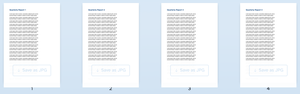
Drop in the document and every page appears as a thumbnail, with a zoom slider to size them. Files are deleted after 2 hours.
-
2
Pick resolution & format
Small (75 dpi), Medium (150 dpi) or Large (220 dpi) — the picture size before you commit. JPG is the everyday choice; PNG keeps sharp edges, and TIFF adds single-file and colour-depth options. Every thumbnail also carries its own Save as JPG button.

-
3
Convert & download
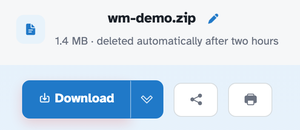
Press Convert. Several pages arrive together as one ZIP — in our test the four-page document came back as wm-demo.zip holding four JPGs, each exactly 1241 × 1754 pixels at Medium (150 dpi).
-
One image per page
Every page becomes its own picture, named after the document and numbered.
-
ZIP for the batch
Several pages arrive zipped together; a single page comes back bare.
-
Three resolutions
Small 75, Medium 150, Large 220 dpi — decide the size before you commit.
-
JPG, PNG or TIFF
Pick the format; TIFF even folds all pages into one single file if you want.
-
Save pages one by one
Each thumbnail carries its own Save as JPG button — no batch needed.
-
Private by default
No account, no watermark — and every file is automatically deleted after 2 hours.
Selected:
Choose an option
Filenames (0):