
Unlock PDF – Remove PDF Password & Restrictions
Remove password and restrictions from PDF files you own so you can edit, print and copy. Free online unlocker.
or drop a PDF here
No file selected
Private and short-lived: every upload is erased automatically 72 hours after you last open it.
Step by step
Unlock a PDF: step by step
Remove password and restrictions from PDF files you own so you can edit, print and copy. Free online unlocker.
-
1
Upload the locked PDF
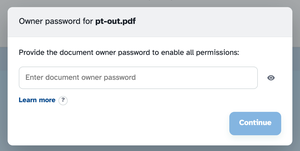
Drop in the protected file — the password card appears before anything else, naming the file it belongs to.
-
2
Enter the owner password
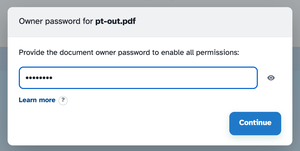
That is the password whoever created the file set — the one that controls printing, copying and editing. Type it in; the eye button shows what you typed, and Continue lights up.
-
3
Unlock & download
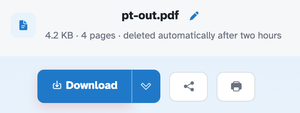
Press Unlock PDF and the ready page hands back the free file. In our test the output opened with no password at all, keeping all four pages, images and text as they were.
-
Restrictions cleared
The password and the print, copy and edit flags all come off in one run.
-
Owner password
The card asks once for the password whoever created the file set.
-
Peek while typing
The eye button reveals the password so long ones can be checked.
-
Yours to open
Made for files you own — knowing the password is the proof.
-
Page-for-page
Pages, images and text come back exactly as they were.
-
Private by default
No account, no watermark — and every file is automatically deleted after 2 hours.
Enter its password in the card to see the pages and unlock the file.
Selected: