
Split PDF by Text – Auto Split Documents Free
Automatically split a PDF whenever specific text changes from page to page, such as invoices or names. Free online tool.
or drop a PDF here
No file selected
Private and short-lived: every upload is erased automatically 72 hours after you last open it.
Step by step
Split a PDF by Text: step by step
Automatically split a PDF whenever specific text changes from page to page, such as invoices or names. Free online tool.
-
1
Upload your PDF
Drop in a document and its pages appear in the preview, one flip at a time. Files are deleted after 2 hours.
-
2
Box the text that changes
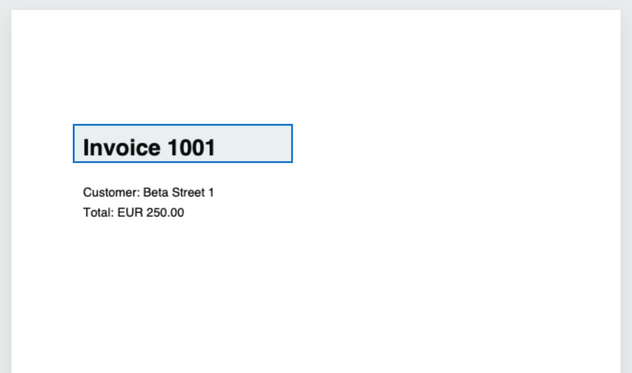
With your mouse, drag a rectangle over the words that mark a new document — an invoice number, an address, a name. Only the text inside the box is read, and the box follows you from page to page. “Reset selection” clears it.
-
3
Split and download
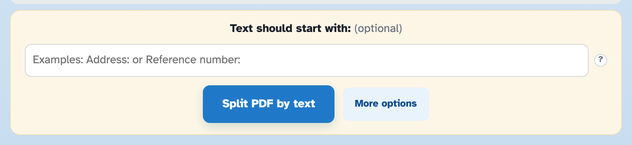
Press Split PDF by text — every page whose boxed text changes starts a new document, while repeats stay together. Optionally keep only text that starts a certain way, and rename the parts in More options.
-
Draw, don't type
Box the word or the whole line — only what falls inside your rectangle is read.
-
Starts-with filter
“Text should start with: Address:” keeps matching pages that must not start a split.
-
Repeats stay together
A page whose boxed text is unchanged never starts a new document.
-
Name parts from the text
[BASENAME]_[FILENUMBER]_[TEXT] — each part is named after the text in your box, set in More options.
-
One ZIP back
Every part downloads together, in a single ZIP.
-
Private by default
No account, no watermark — and every file is automatically deleted after 2 hours.
Selected:
Select with your mouse an area of the page. Reset selection