
Scan a printed paper
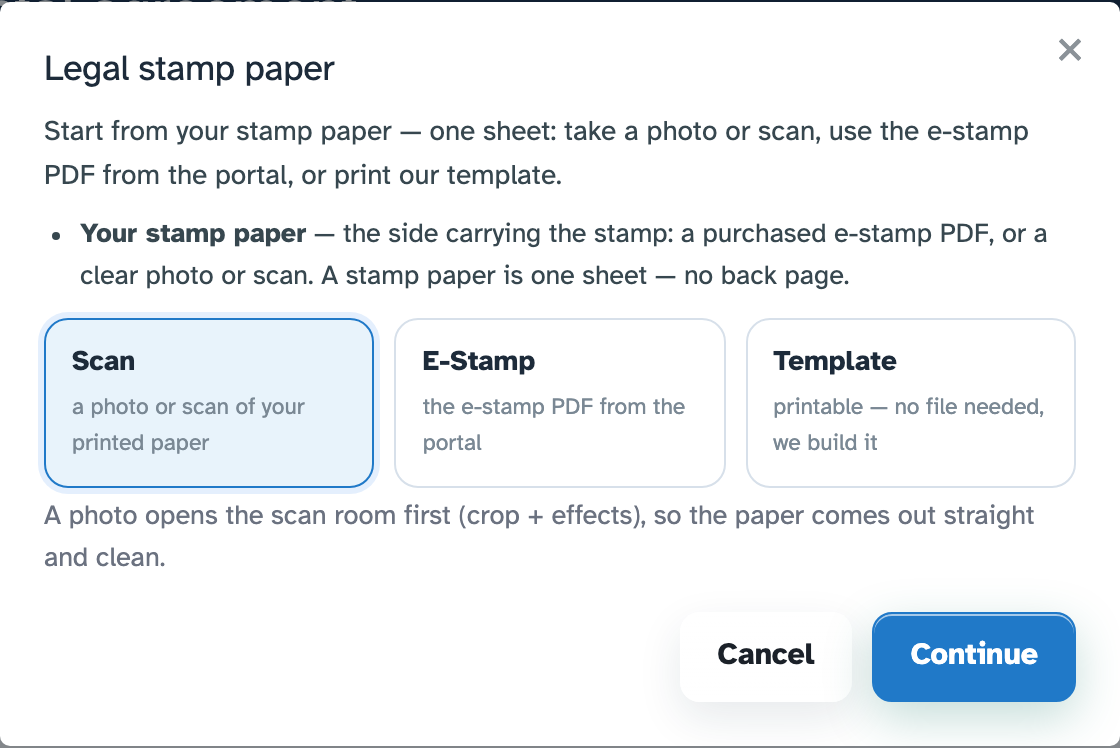
Take a photo of the stamp paper. The scan room handles the corners, crop and clean-up so the sheet sits straight on the page.
Photo or scanOpen a purchased e-stamp PDF, a photo of your printed paper, or a printable template. The Legal tool straightens the scan, opens a writing box beside the page and lets you compose the agreement directly on the sheet — then print or save it as a PDF.
From paper to a clean page
The Legal wizard makes the source explicit before it touches the editor, so a phone photo, a portal download and a blank template all arrive ready to work on.
Take a photo of the stamp paper. The scan room handles the corners, crop and clean-up so the sheet sits straight on the page.
Photo or scanAlready have the e-stamp from the portal? Open the PDF directly and start writing — no print-and-scan step.
E-Stamp fileNo file yet? Build a printable stamp-paper sheet, then choose the dummy page size and colour for pages you add later.
Printable templateWrite like a document
The paper stays visible while you type. The box previews your words on the sheet at the size and position they will print, with the formatting you would expect from a word processor.
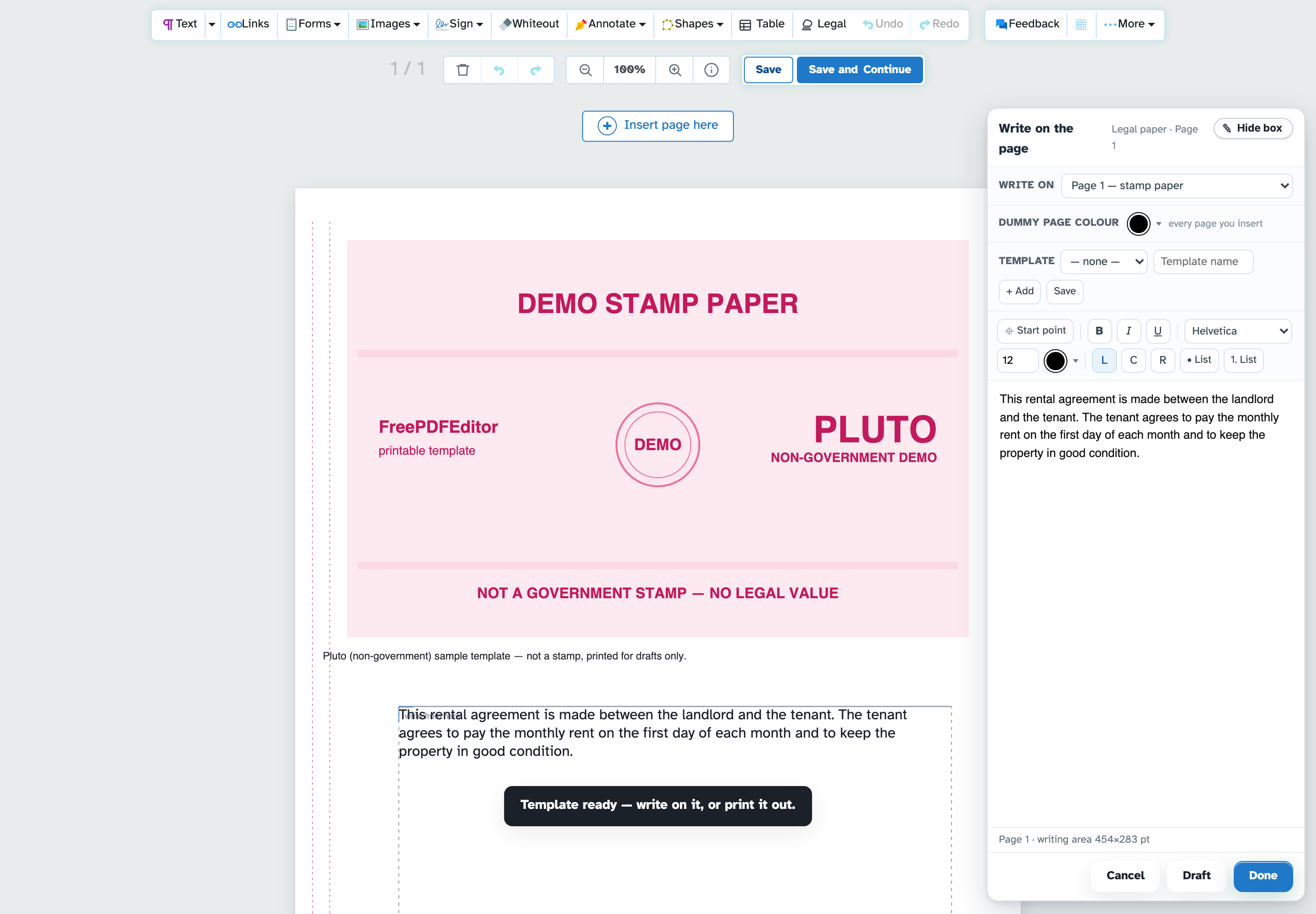
Write a clause, choose the starting point, and see the text land in the right place. Save the words as a named template for the next agreement, or drop a saved template back into a new draft.
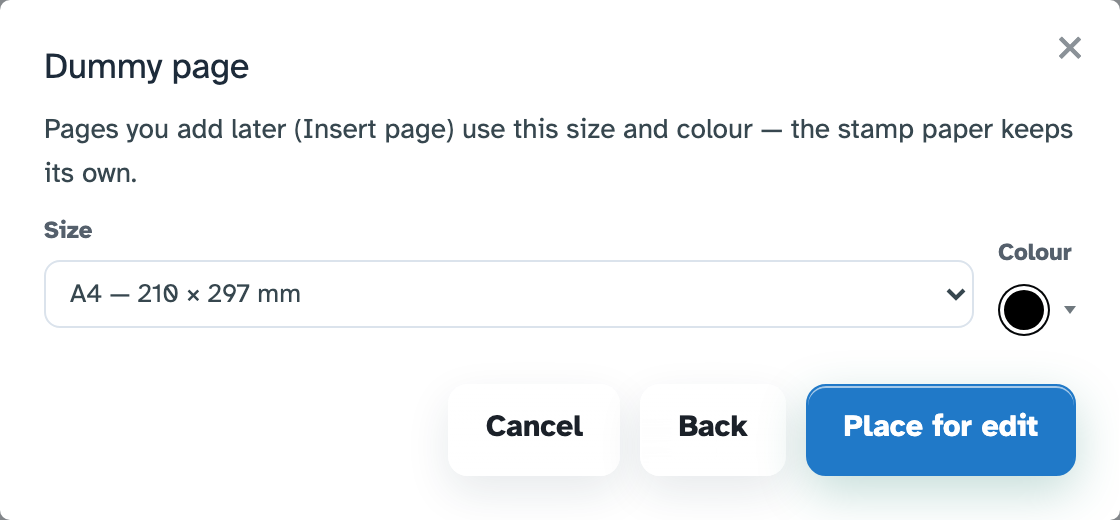
A stamp paper is one sheet. When the agreement needs another page, the editor inserts a dummy page using the size and paper colour you picked in the wizard — so the printed bundle looks deliberate, not stitched together.
Inside the editor
Once the paper is open, every normal editor tool is still there: text, images, shapes, signatures, page management, crop and export. Legal adds the paper-specific writing box on top; it does not take the rest of the toolkit away.

Privacy, storage & the paid plan
Legal is a writing workspace, not a document archive. The paper is opened from a temporary copy; the template of your work is saved in this browser, so it is available the next time you open the Legal box.
The uploaded e-stamp, photo or HTML/PDF source is a temporary working file and is cleaned up after the short retention window (2 hours on the production service). Download the finished PDF when you are done — that copy is yours.
Legal is a paid feature inside the free PDF editor. The payment unlocks the Legal button and the writing box; it does not buy your document or change who owns it.
E-Signer is the separate paid signing workflow. It keeps request data (recipients, expiry, renewals, search and audit) because a signing request cannot work from a temporary file alone.
Terms in one line: you are responsible for the stamp value, wording and legal validity of your agreement. The Legal tool is software, not a government stamp service. The paid subscription renews until cancelled and access runs to the end of the paid term. See the Terms & Conditions, Privacy Policy and Legal plans.
One account unlocks the Legal button in the editor. Monthly or yearly; yearly is two months free. The E-Sign + Legal combo is cheaper than buying both separately.
$10per month
$100 a year — $8.33/mo billed yearly, save $20
$15per month
$150 a year — $12.50/mo billed yearly, save $30
$29per month
$290 a year — $24.17/mo billed yearly, save $58
Signed out? The buttons explain the sign-in step before taking you anywhere. Already subscribed? Open the editor.
Start with a scan, an e-stamp PDF or the printable template. The Legal writing box opens over the page, ready for the agreement.
LegalWorkflow
by OrbitalBee
Your file is ready
The download starts on its own — nothing is emailed to you and nothing is kept past two hours.
Starting in a moment…
Download didn’t start? .