
Organize PDF Pages – Reorder, Rotate, Delete Free
Rearrange, rotate, duplicate, delete or insert PDF pages with simple drag and drop. Free online PDF organizer, no watermark.
or drop files here
No files selected
Step by step
Organize PDF Pages: step by step
Rearrange, rotate, duplicate, delete or insert PDF pages with simple drag and drop. Free online PDF organizer, no watermark.
-
1
Upload your PDFs
Choose your files with the button above, or drag them onto the box — every document's pages land in one grid, in order. Add as many as you like; every file is deleted after 2 hours.
-
2
Put the pages in order
Drag any page around the grid, or use the little ⊕ to insert a file or a blank page at that exact point. Reorder flips everything around (Last → First) in one click.
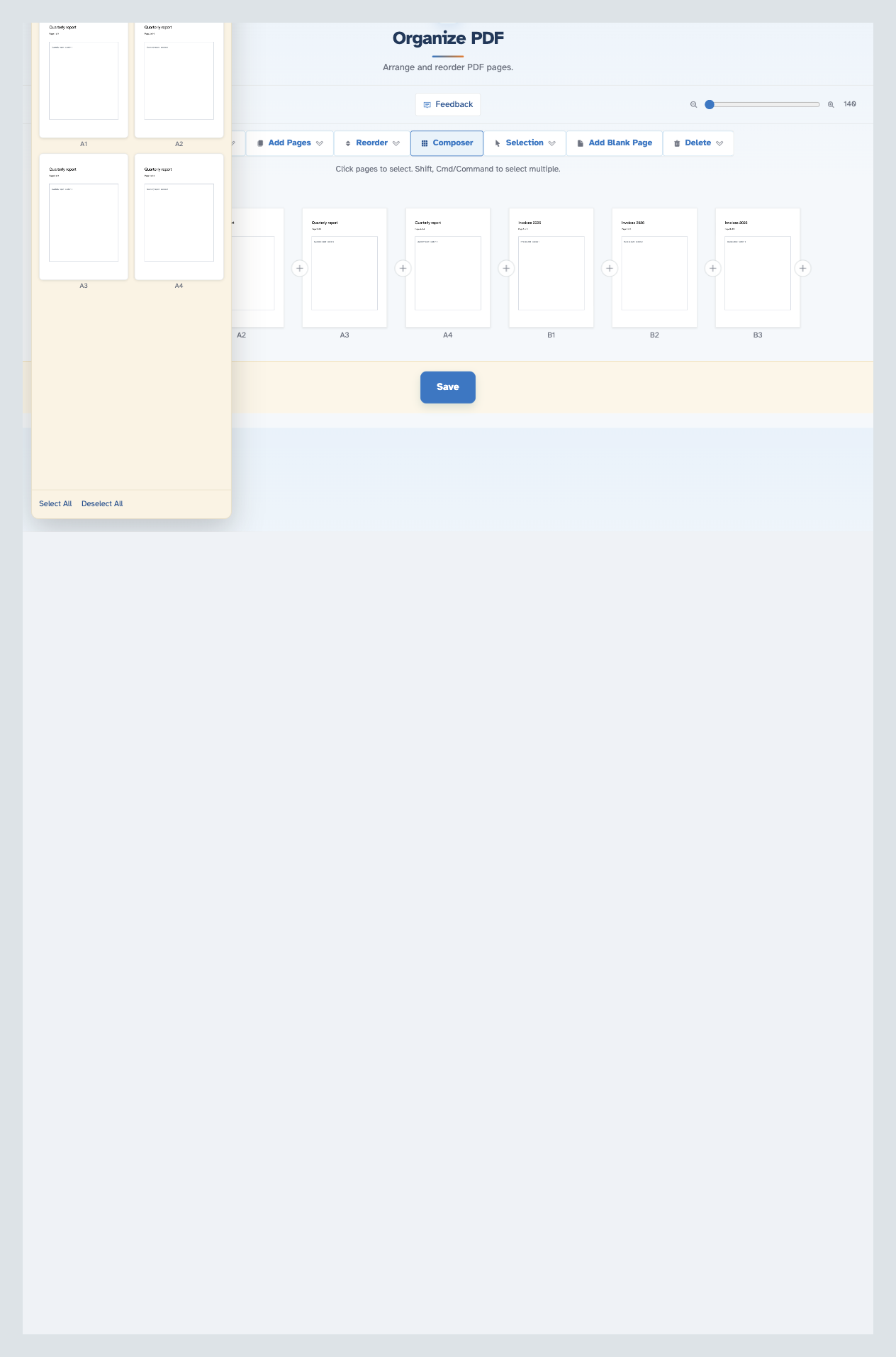
The Composer lists one document's pages — drag any of them straight onto the sheet at the drop point:
-
3
Pick and edit pages
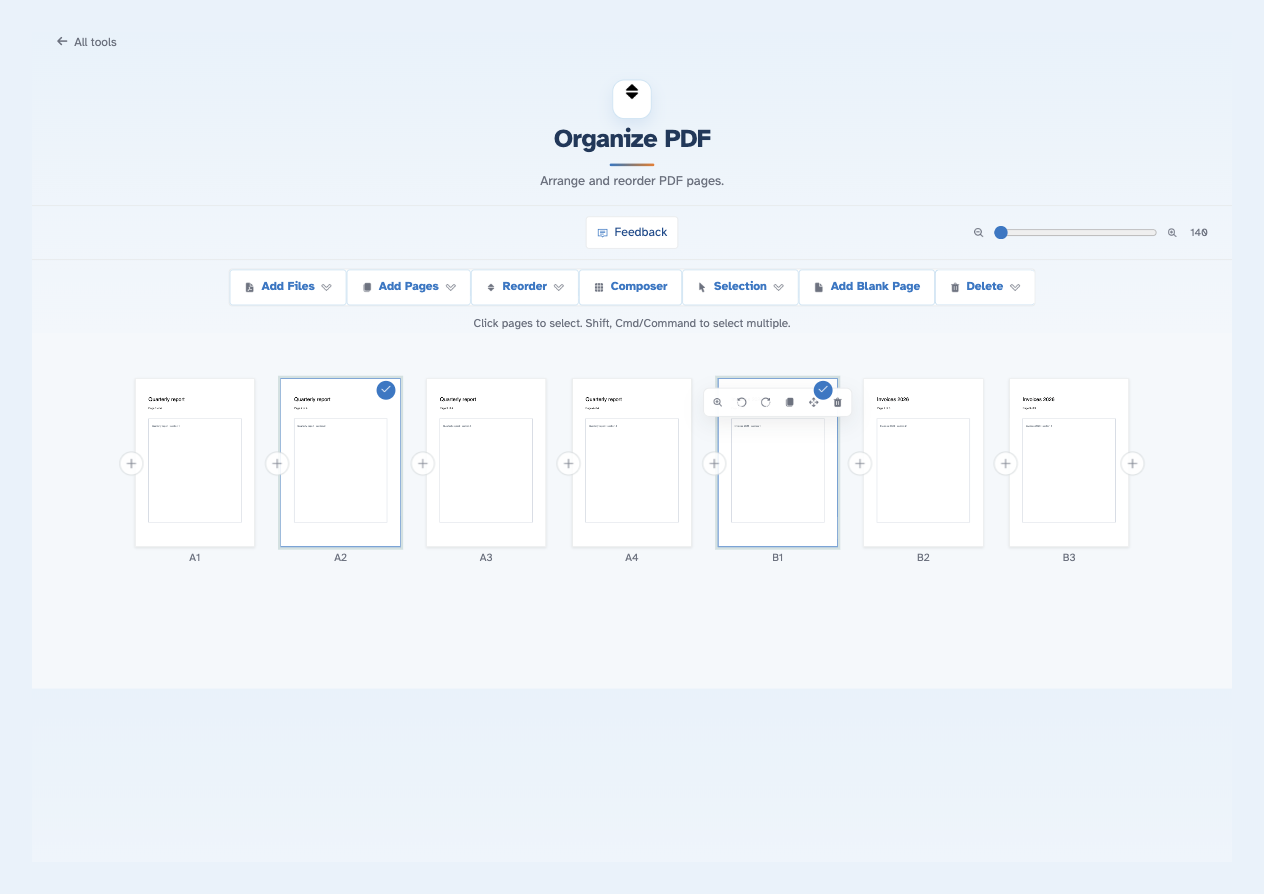
Click pages to select them — Shift takes a run, Cmd/Command adds one more — then Selection ▾ acts on the whole pick (all, none, invert, delete). Every page also carries its own tools: magnify, rotate, duplicate and leave-out. Delete ▾ drops everything or keeps just one document.
-
4
Save
Press Save and the organised file opens ready to download, share or print.
-
Any page, anywhere
Drag pages freely around the grid — the order you build is the order you get.
-
Duplicate or leave out
Every page carries its own tools: magnify, rotate, duplicate — or leave it out of the result.
-
Multi-select that behaves
Click to pick, Shift to extend a run, Cmd/Command to toggle — then act once on the whole selection.
-
The Composer drawer
Lists each document's pages; drag any of them straight onto the sheet at the drop point.
-
Blank pages at the spot
Add Blank Page drops a blank into the sequence — separators and double-sided breaks made easy.
-
Private by default
No account, no watermark — and every file is automatically deleted after 2 hours.
Click pages to select. Shift, Cmd/Command to select multiple.