
OCR PDF Online – Make Scanned PDF Searchable Free
Convert scanned PDFs to searchable, selectable text. OCR runs in your browser, in many languages. Free, no watermark.
or drop a PDF here
No file selected
Private and short-lived: every upload is erased automatically 72 hours after you last open it.
Step by step
OCR a PDF: step by step
Convert scanned PDFs to searchable, selectable text. OCR runs in your browser, in many languages. Free, no watermark.
-
1
Upload your scanned PDF
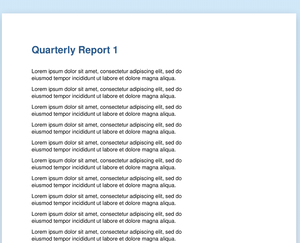
Every page opens as a sheet — a scan is exactly what this tool is for: pictures of text that carry no text layer yet. Files are deleted after 2 hours.
-
2
Pick the language & run
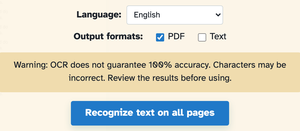
The language arrives auto-detected — English in our scan — with the picker holding Afrikaans to Bengali and beyond. Standard runs in the browser; pick High accuracy to use the Paddle models on the server (strongest for English and Chinese). Output formats: keep the searchable PDF, export plain Text, or tick both. The quick box handles a single page; Recognize text on all pages runs the lot.

-
3
Download the searchable PDF
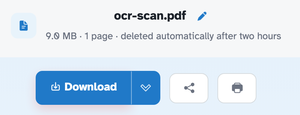
In our run the scan came back with a real text layer — searching “Quarterly” finds it, the words can be copied and selected — and the file waits behind Download like any other result.
-
Searchable at last
The scan keeps its looks and gains selectable, searchable text.
-
Language picker
Auto-detected on upload, with a long list to choose from when it guesses wrong.
-
PDF or text out
Keep the searchable PDF, export plain text, or both at once.
-
Per-page quick mode
One page in a hurry? The quick box beside the sheets runs a single page.
-
Honest about accuracy
The screen warns that OCR never guarantees 100% — review the text before using.
-
Private by default
Standard OCR never leaves your browser; every file is still deleted after 2 hours.